Every model you own, finally visible.
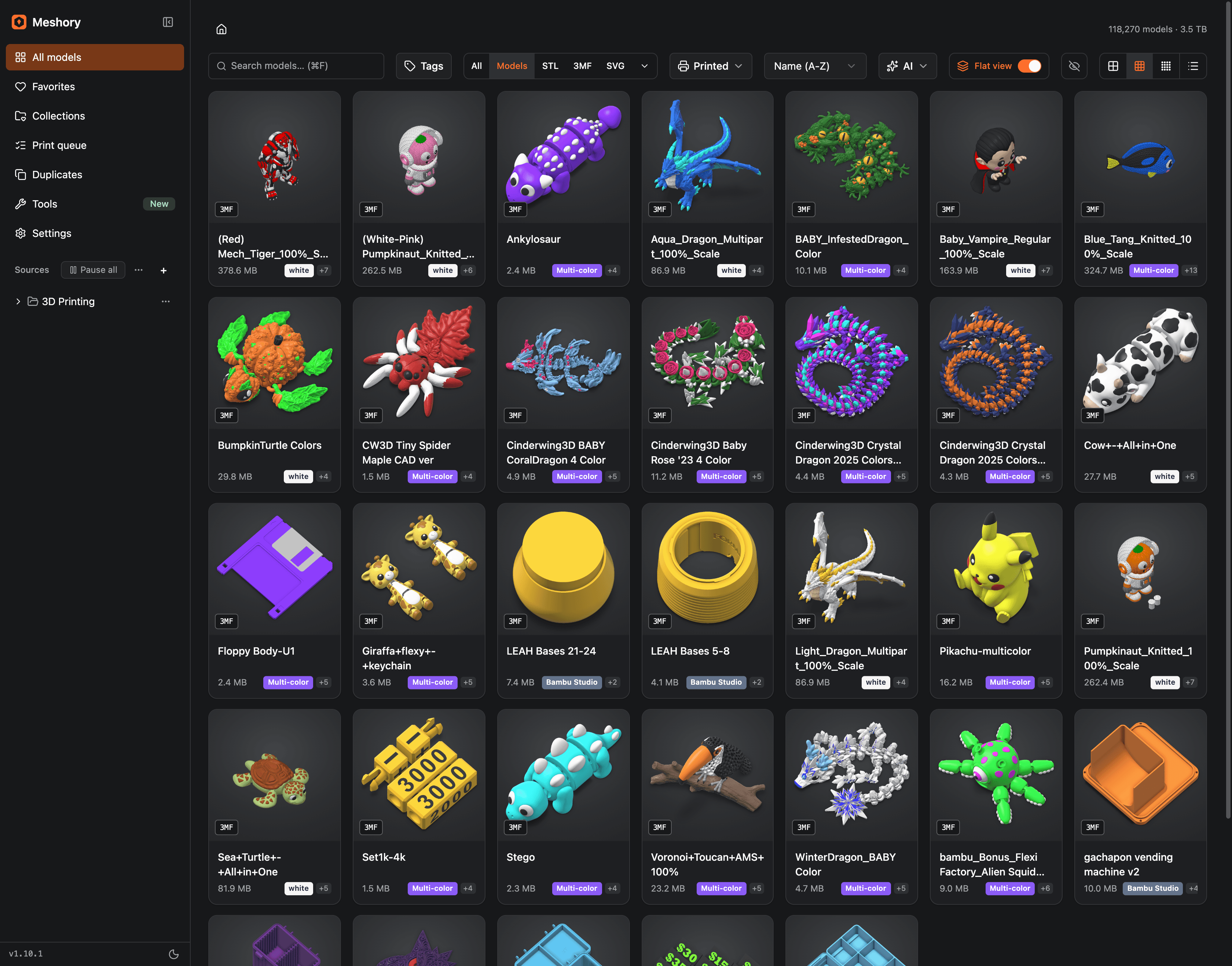
Meshory is a 3D print file organizer for macOS, Windows and Linux. It scans the folders where your STL and 3MF files already live and shows you every model, even the ones you forgot. Rendered thumbnails, real 3D preview, zero cloud.
Mac · Windows · Linux · 14-day money-back guarantee
nothing is renamed, moved or uploaded

Finally seeing what I had.
The size of the library Meshory was hardened against, before it ever shipped.
Setup ritual. Point it at where your files already live; nothing moves or uploads.
Rendering, hashing and search all run on your machine. No account, no cloud.
STL, 3MF, OBJ, FBX, GLB, PLY and STEP render and open in the viewer, and so do Rhino and Fusion designs. Archives, images, PDFs and readmes come too.
If it survived my library, it'll handle yours.
Meshory wasn't tested on a demo folder. It was built against my own collection: 118,270 models and 3.5TB on a single NAS drive. It indexes the whole thing in the background and renders previews as fast as you can scroll, without ever choking.
How the scan engine works →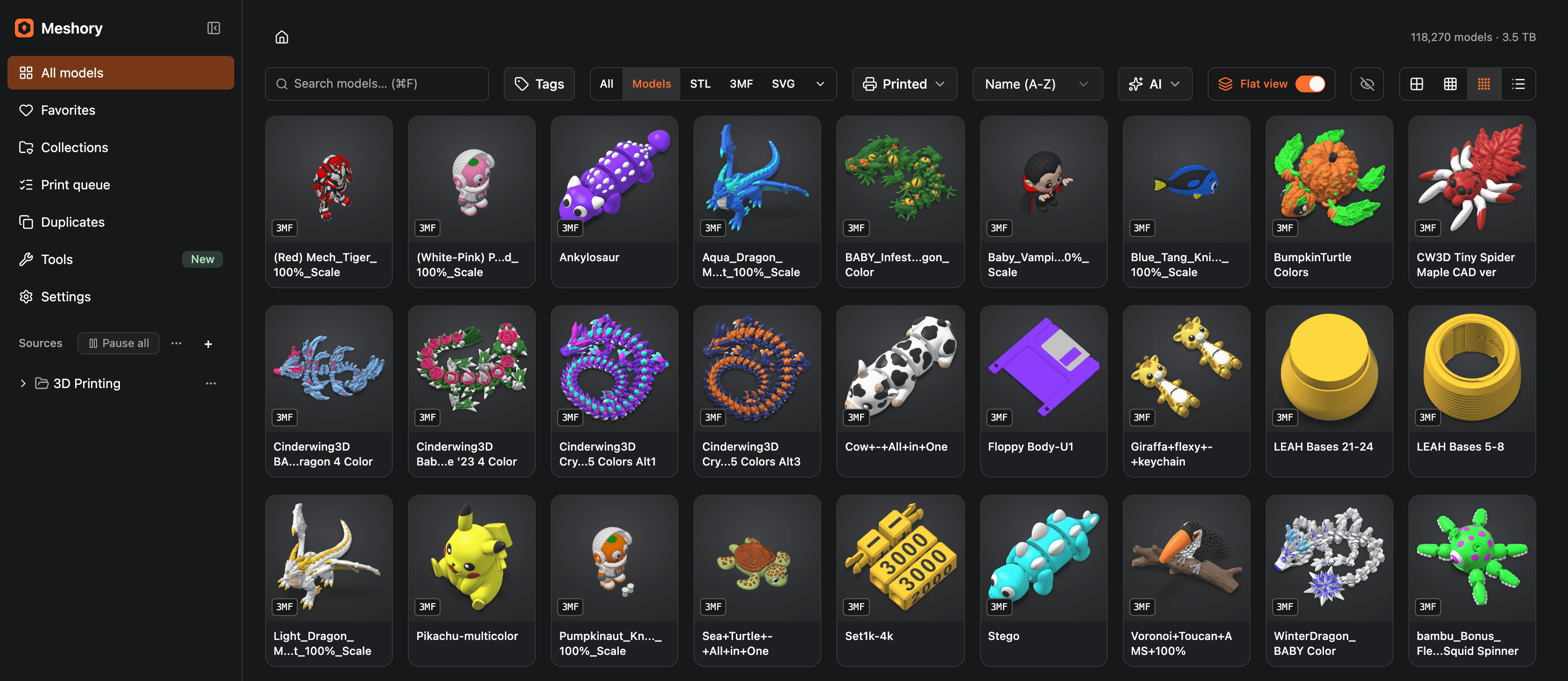
“Meshory helps me find more time in the day by not hunting for models to keep my little fleet busy.”
A library, not a file dump.
A thumbnail for every model
STL, 3MF, OBJ, FBX, GLB, PLY and STEP, rendered as you browse, including the ones inside ZIP and RAR bundles. The models you forgot you had show up again.

Duplicate finder
Finds the same dragon you downloaded three times under three names.
Built-in 3D viewer
Spin and inspect any model, multi-plate Bambu projects included, before the slicer opens.
Browse inside archives
Open a Patreon bundle like a folder and preview what's inside without extracting it.
Search, tags & collections
Find a model by name, folder or tag, or by what it looks like with AI on your own key.
Local-first
No account, no cloud. Meshory indexes your folders in place and never moves a file.
Inspect before you slice.
Open any model in a real 3D viewer: rotate, pan, zoom, or jump to a front, top or isometric view. Multi-plate Bambu 3MF projects load with every part in place, and STEP assemblies open right alongside your meshes, so you know exactly what you're printing before the slicer ever opens.
drag to rotate · right-drag to pan · scroll to zoom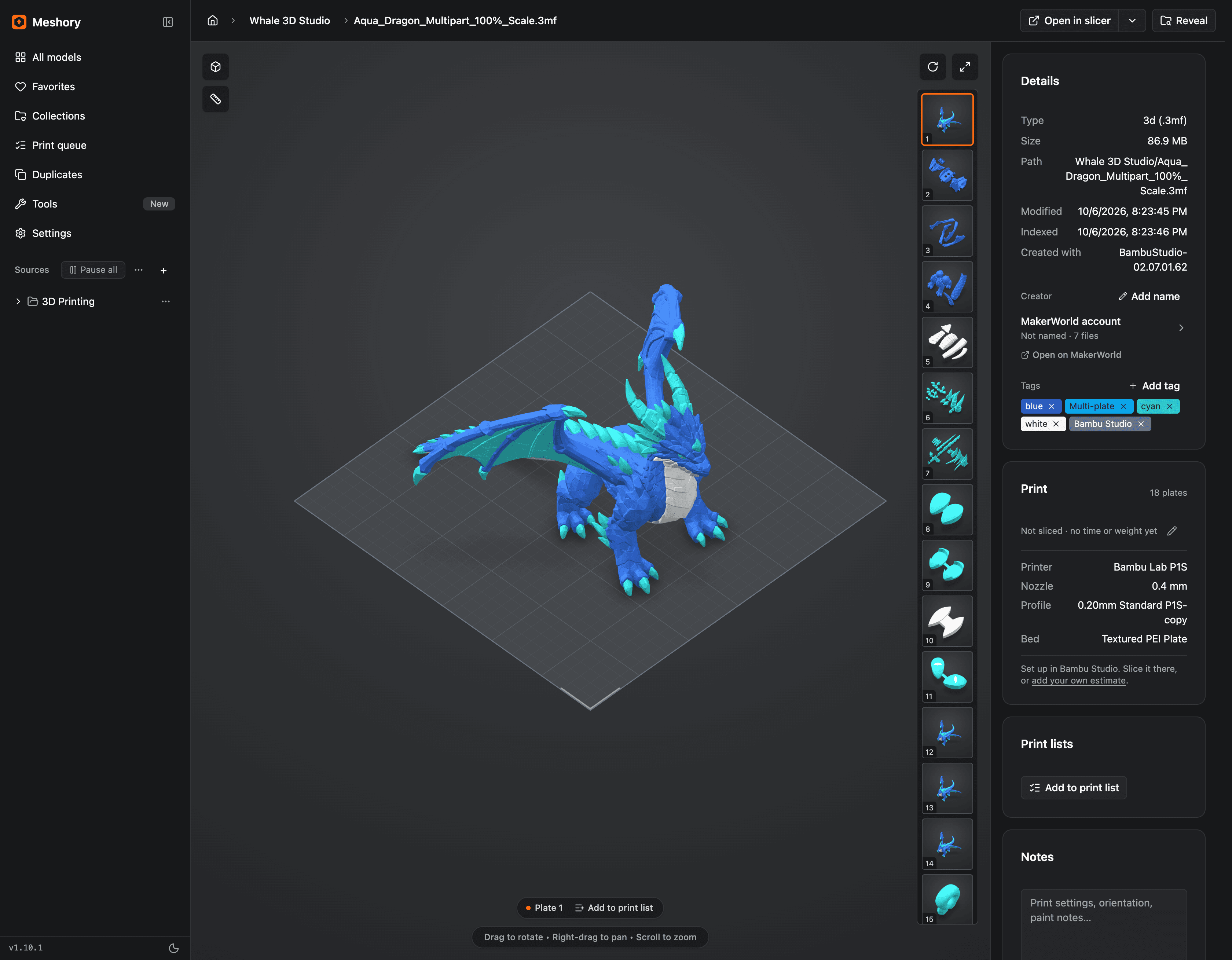
Try it with your own models.
Drag a model onto the demo, or open one. It loads on your device, and nothing is uploaded.
STL, 3MF, OBJ, PLY, GLB · folders include subfolders

25 formats work today.
Point Meshory at a folder and it reads what is already in there.
3D models
Thumbnailed, openable in the viewer, deduplicated by mesh geometry.
Mesh interchange
GLB and PLY open in 3D and render a thumbnail. GLTF stays searchable, with previews still to come.
Archives
Opened like folders. Every model inside gets its own thumbnail.
Laser & CNC
Project files show their design as a thumbnail and open full size.
Companion files
Photos, manuals and readmes stay with the model instead of scattered.
One caveat: STEP files are matched against other STEP files, not against an STL export of the same part.
See what each format can do →Meshory is a conversation, not just a download.
Every Meshory user gets a seat in the Discord. Report a bug and watch it get fixed. Vote on what ships next. The public roadmap is shaped by people running Meshory on serious libraries.
Join the Discord →Just pointed it at a 1.8TB NAS and it chewed through the whole thing overnight. Duplicate finder found 200+ dupes 😮
The multi-plate 3MF preview is the killer feature for me. No more opening Bambu Studio just to remember what a file is.
+1 for filament inventory, voting for it. Would show me what I can print with what's on the shelf.
Stop re-downloading models you already own.
Pay once. Runs on Mac, Windows and Linux. Your files stay local.
$34.99 one-time · no subscription