Everything you need to make sense of a huge library.
Meshory is a local-first STL library manager: it reads the folders you already have and gives you a real interface for them. No cloud, no account, no moving your files.
Already using a free organizer? See how Meshory compares, including where one of the free tools is the better fit.
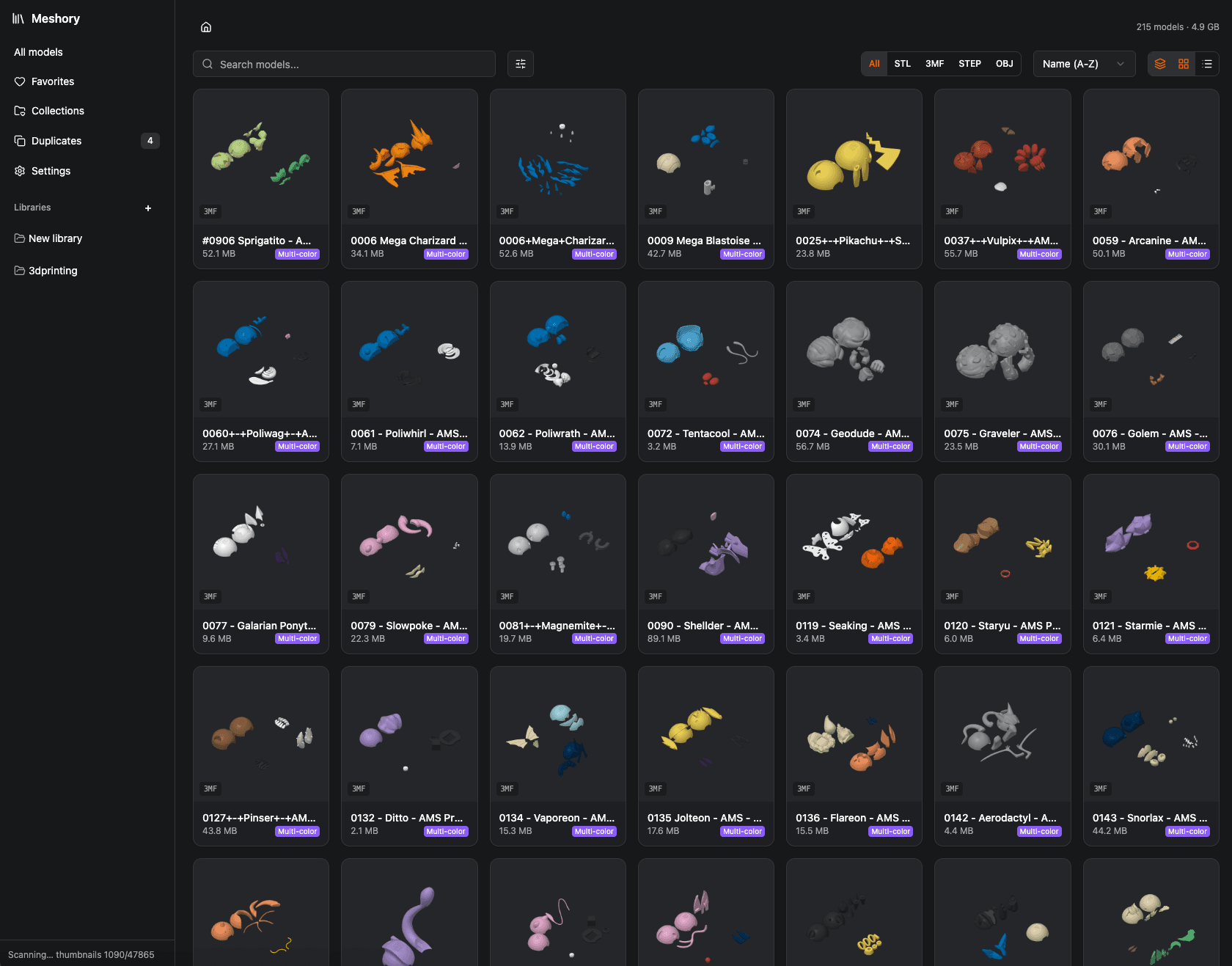
See every model, not rows of gray icons.
Meshory renders each STL, 3MF, OBJ, FBX and STEP into a real thumbnail, including the models inside ZIP, RAR, 7Z and TAR/TGZ archives, so you can recognize a model at a glance. Browse as a grid, group by source, filter by format. It feels closer to a photo library than a file manager.
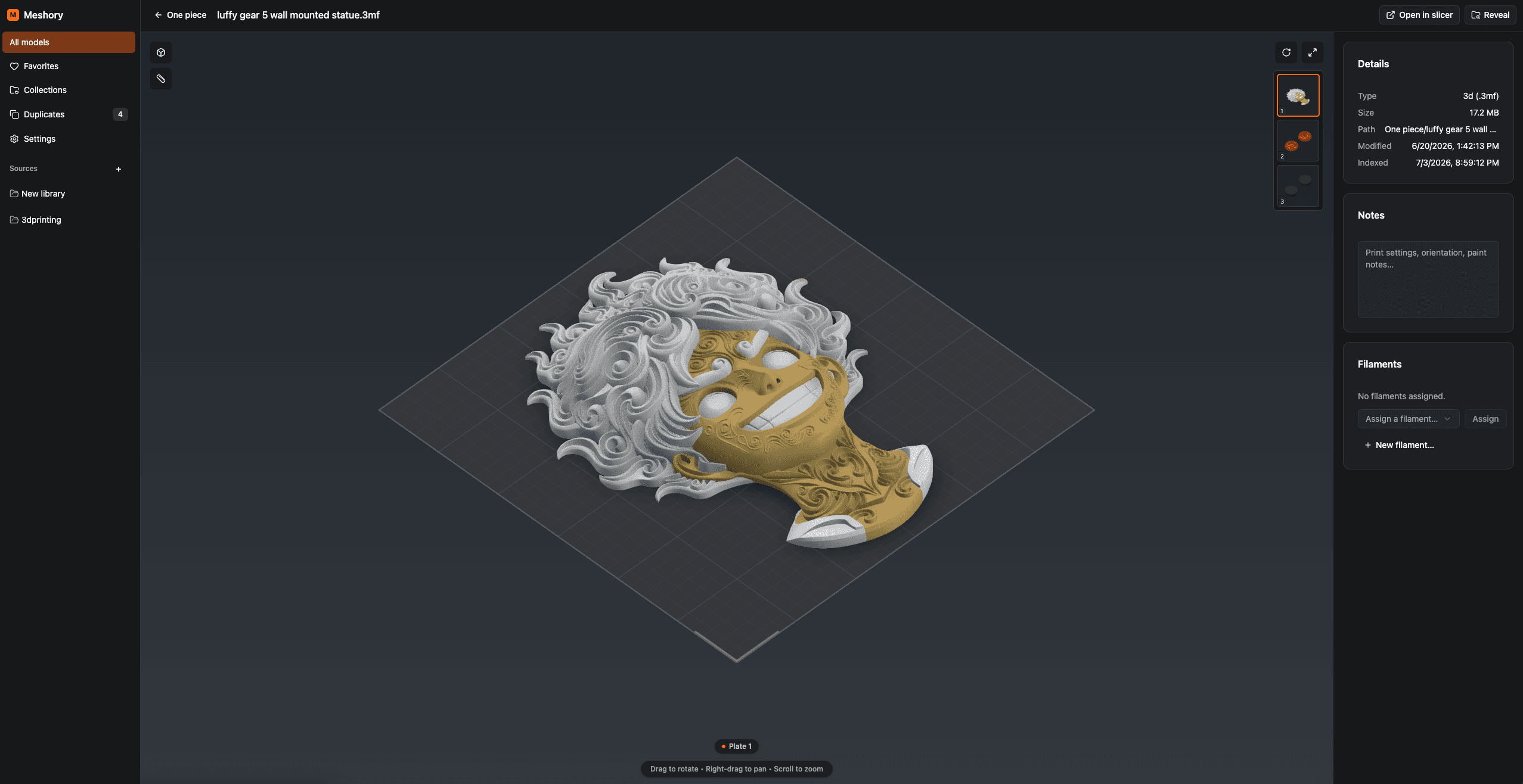
Inspect any model before you slice it.
Open a real 3D viewer right inside the app. Rotate, pan and zoom. Multi-plate Bambu 3MF projects load plate by plate with every part in place, plus a details panel, notes and filament assignment.
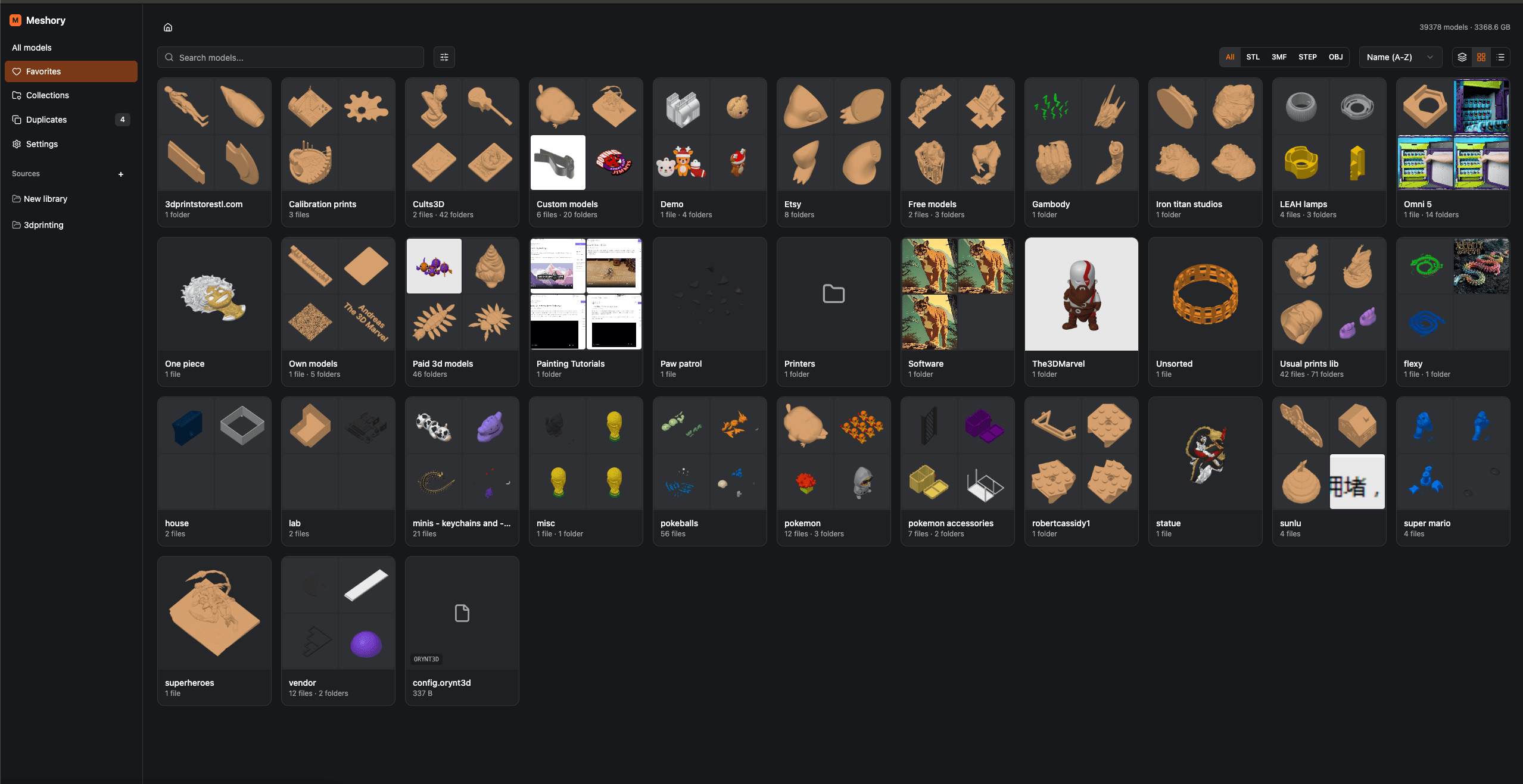
Point it at terabytes. Walk away.
Add every folder, drive and NAS mount you own. Meshory indexes the whole thing in the background and renders previews as you browse it, and it was hardened against a 3.5TB, 118k-model library before it ever shipped.
Check your format, then read the fine print if you want it.
Nineteen formats across models, archives, laser projects and the companion files that sit next to them. Everything listed here is in the one version of Meshory that everybody buys.
3D models
Rendered, viewable, deduplicated.
Mesh interchange
GLB previews and duplicate detection; all formats searchable.
Archives
Read in place, contents indexed.
Laser & CNC
Previewed and opened full size, no 3D view.
Companion files
Kept with the model, no 3D view.
| Format | ThumbnailRendered preview in the grid | 3D previewOrbit, pan and zoom in the app | DuplicatesContent and geometry | Inside archivesRead without unpacking |
|---|---|---|---|---|
| 3D modelsRendered on import, openable in the viewer, matched against each other by mesh geometry. | ||||
| STL.stl | Yes | Yes | Yes | Yes |
| 3MF.3mf | YesUses the slicer's own preview | YesPlate by plate | Yes | Yes |
| OBJ.obj | YesColors from the .mtl beside the file | Yes | Yes | Yes |
| FBX.fbx | Yes | YesTextures load when they sit beside the file | Yes | Yes |
| STEP / STP.step .stp | Yes | YesAssembly colors and part names kept | PartialMatches other STEP files, not STL exports | Yes |
| 3DM.3dm | PartialLocal preview from saved render meshes | PartialSaved render meshes, curves and points; partial-preview warnings | PartialContent-only matches; no geometry fingerprint | Yes |
| Mesh interchangeGLB has thumbnails, 3D viewing and geometry duplicate detection. GLTF and PLY remain searchable. | ||||
| GLB.glb | YesNeutral mesh render; textures are not shown | YesStatic scene with materials and textures | Yes | Yes |
| glTF / PLY.gltf .ply | NoShown with a file icon | NoNot readable by the viewer yet | PartialContent-only matches; no geometry fingerprint | Yes |
| ArchivesTreated like folders. Every model inside gets its own thumbnail. | ||||
| ZIP.zip | YesCover picked from the contents | YesOpen any model inside | YesModels inside count too | Not applicableThis is the archive |
| RAR.rar | YesCover picked from the contents | YesOpen any model inside | YesModels inside count too | Not applicableThis is the archive |
| 7Z.7z | YesCover picked from the contents | YesOpen any model inside | YesModels inside count too | Not applicableThis is the archive |
| TAR / TAR.GZ / TGZ.tar .tar.gz .tgz | YesCover picked from the contents | YesOpen any model inside | YesModels inside count too | Not applicableThis is the archive |
| Laser & CNCLaser projects and CAD drawings, previewed in 2D. xTool projects also get a button that opens them in xTool. | ||||
| xTool project.xcs .xs | Yes | NoNot a 3D format; opens full size, or in xTool | PartialExact copies only, no geometry fingerprint | Yes |
| DXF.dxf | YesMeshory's own render of the drawing | NoNot a 3D format; opens as a zoomable 2D drawing | PartialExact copies only, no geometry fingerprint | Yes |
| DWG.dwg | PartialThe preview AutoCAD saved in the file, when there is one | NoNot a 3D format; shows the saved preview picture, not the drawing | PartialExact copies only, no geometry fingerprint | Yes |
| Companion filesThe images, manuals and readmes that ship next to a model, kept with it instead of scattered. | ||||
| Images.jpg .jpeg .png .gif .webp .bmp | Yes | NoNot a 3D format | NoIndexed, but never counted as duplicates | Yes |
| SVG.svg | Yes | NoNot a 3D format; opens full size | PartialExact copies only, no geometry fingerprint | Yes |
| PDF.pdf | YesThe first page | NoNot a 3D format; opens in the built-in viewer | NoIndexed, but never counted as duplicates | Yes |
| TXT.txt | NoShown with a file icon | NoNot a 3D format; opens as text | NoIndexed, but never counted as duplicates | Yes |
Anything else in the folder is left exactly where it is. Meshory never moves, renames or writes to your files.
Small things that add up across thousands of files.
Duplicate finder
Content hashes and, for supported formats, geometry fingerprints group the same model no matter how many times, under how many names, or in how many formats you downloaded it, with re-centered slicer projects held for review. Whole folders holding the same pack collapse into one card, one bundle sitting inside another is reported as a folder overlap, and every group recommends which copy to keep.
Collections & tags
Tag models yourself or let Meshory tag them, and take any tag off again with one click. Collections sit on top of the folders on disk without ever reorganizing the folders themselves, and a Not in a collection view shows what you haven't filed yet.
Slicer hand-off
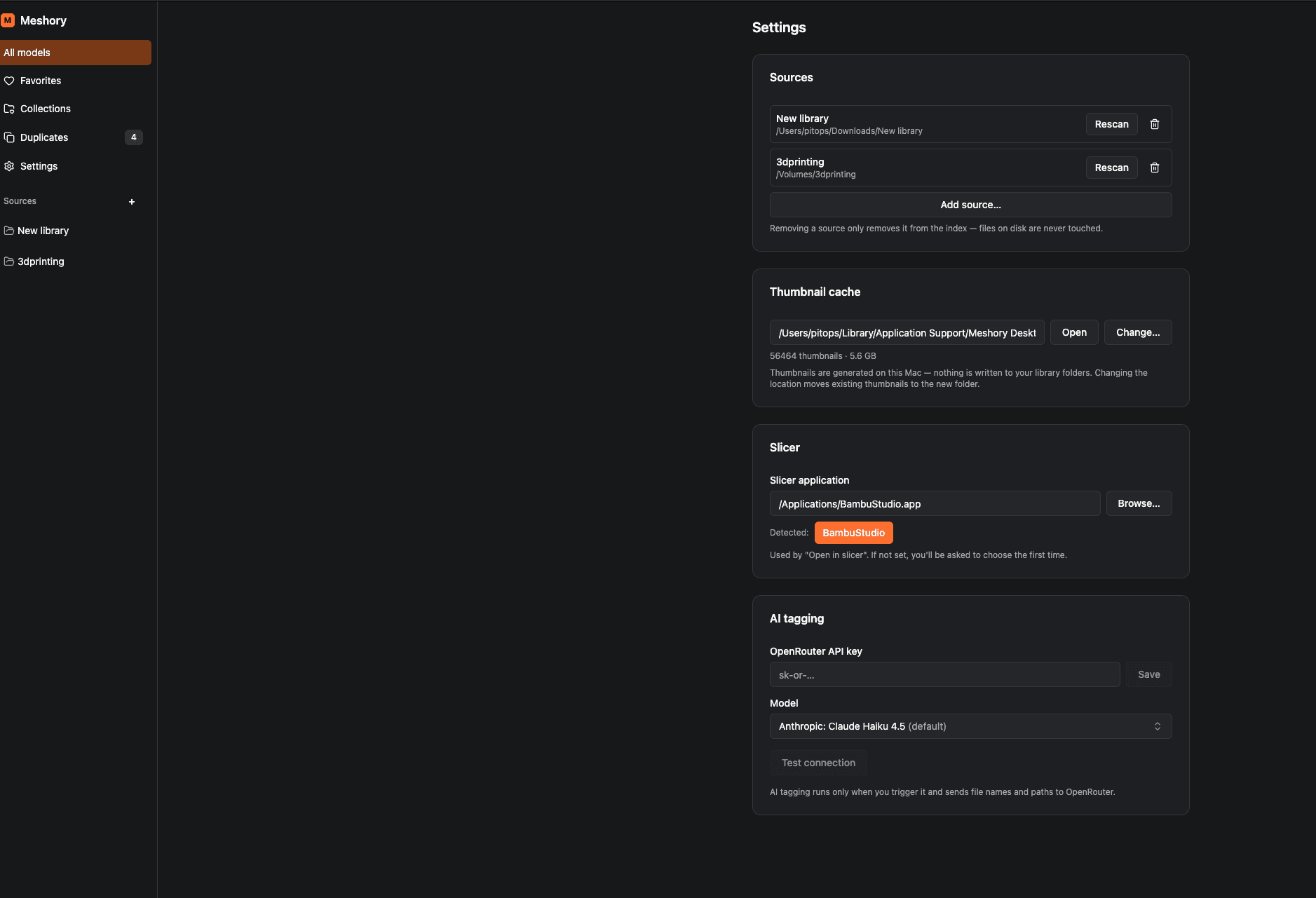
Open any model straight into Bambu Studio, Flash Studio, Orca, Prusa, Cura, Lychee and more. Meshory auto-detects 16+ installed slicers, resin included.
Fast search
Search across tens of thousands of models by name, path, tag or AI description with results as you type. Press Cmd/Ctrl+F or just start typing, or record a global shortcut that brings Meshory forward from any app with the search ready.
Browse inside archives
Treat ZIP, RAR, 7Z and TAR/TGZ archives like folders. Browse a Patreon bundle, preview each model inside, and open one straight in the viewer or your slicer without manually extracting the whole bundle. A RAR split into .part1, .part2 files lists its contents once, under the first part, and every part keeps its own card.
3MF converter
Move a Bambu Studio, OrcaSlicer, Snapmaker Orca, Creality Print or Anycubic Slicer Next project to one of the others as a new 3MF. Every plate lands in the one file, painted colors map to the filaments you pick, and printer and material settings come from profiles bundled with Meshory or installed with your slicer. Supports, infill and the other print settings you changed come across too. The original is never touched. A read-only library of your installed slicer profiles sits beside it under Tools.
Drag into any app
Drag models straight out of the library into your slicer, a folder, or a chat window, one at a time or a whole selection, with the thumbnail following your cursor.
AI tagging & semantic search
Bring your own OpenRouter key. Meshory tags every model, writes a searchable description, and finds it by what it is, not what it's named.
Photos, PDFs & readmes in place
Model packs ship with reference renders, printed-part guides and a readme. Meshory shows the images inline and opens PDFs and TXT readmes in a built-in viewer (inside ZIP, RAR, 7Z and TAR/TGZ bundles too), so the docs stay next to the model. A PDF's card shows its first page.
xTool laser projects
XCS files from xTool Creative Space and XS files from xTool Studio show up as thumbnails beside your models, loose or inside a ZIP. Each opens full size with zoom and rotate, and one button sends it to xTool.
DXF & DWG drawings
DXF drawings get thumbnails and open full size, loose or inside archives, and a DWG shows the preview AutoCAD saved inside it. DXF and DWG each have their own format filter.
Printers & filament
Track your fleet, log filament spools and see which models are printable with what's on hand.
Your files never leave your machine.
Thumbnails are rendered locally and cached beside the app, never written into your library folders, never uploaded. AI tagging is entirely opt-in: it only runs when you trigger it, using your own API key.
See it running on your own hoard.
One-time purchase with a 14-day money-back guarantee. Pricing details